
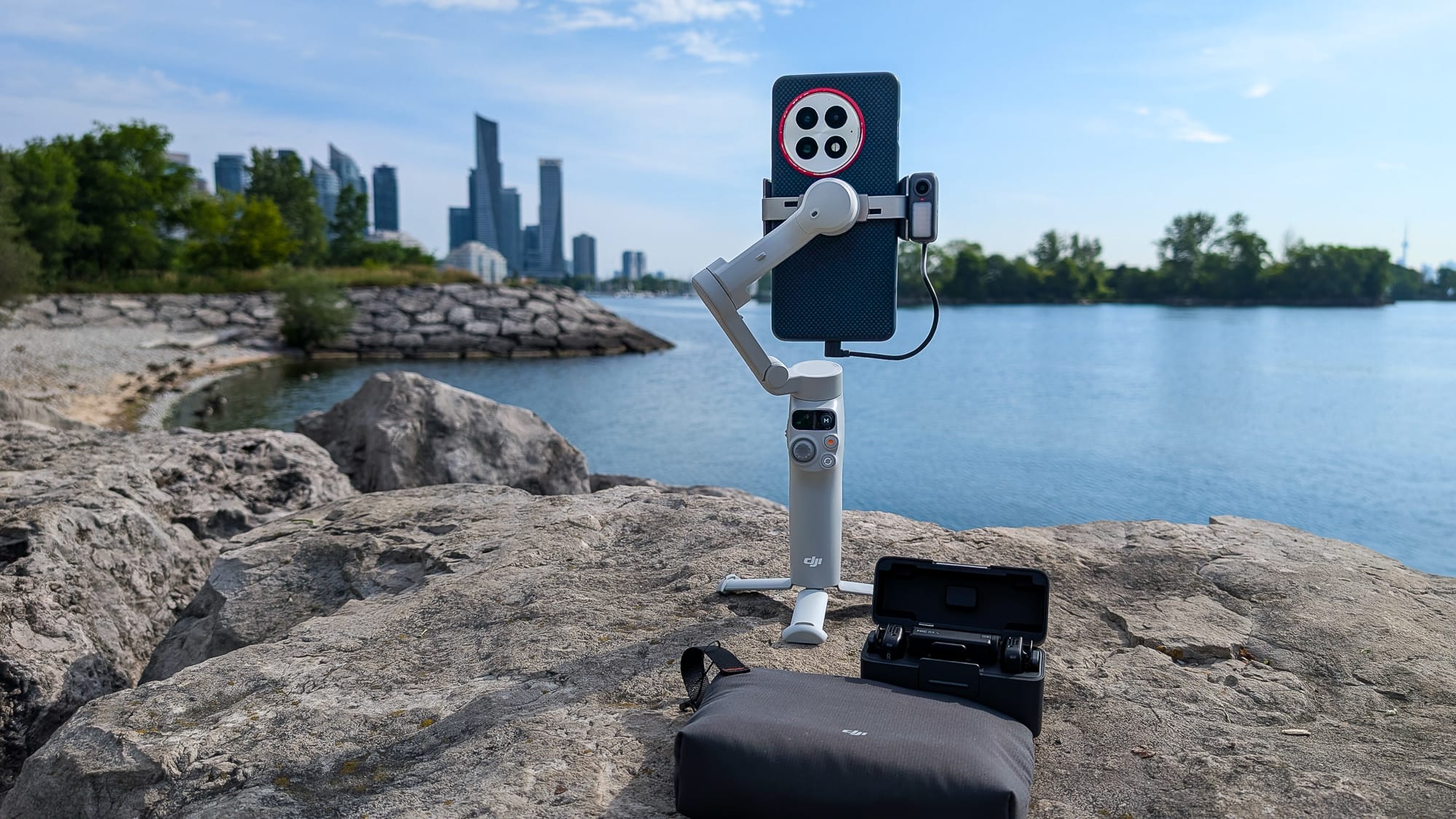
As the saying goes, “the best camera is the one you have with you,” and that’s where the DJI Osmo Mobile 7 comes in, helping you capture professional quality photos and videos with your phone.
DJI’s Osmo Pocket 3 is the go-to vlogger camera of 2025, but for anyone looking for the best tool to vlog with your phone, the DJI Osmo Mobile 7 is a solid choice, with a lot of features.
Incredibly portable and light, the Mobile 7 packs away so that it’s almost pocket-sized, offering add-ons worth considering, for a very good price.
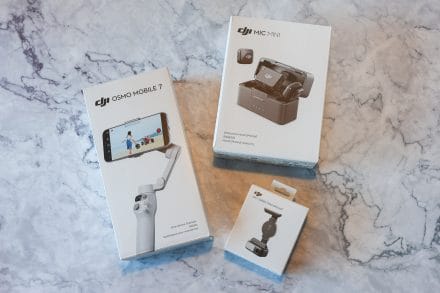
Is the Osmo Mobile 7 the right pick for you? For most users, the answer is a big yes, but I’ll dive into all the specifics for this affordable phone stabilizer that retails for $89 USD, for the basic model, while the Osmo Mobile 7P retails for $149 USD. The Mobile 7P is also available with the DJI Mic Mini for $209.
Watch my video review with samples of the footage that I shot on YouTube and at the bottom of the story.
Osmo Mobile 7 versus the Mobile 7P
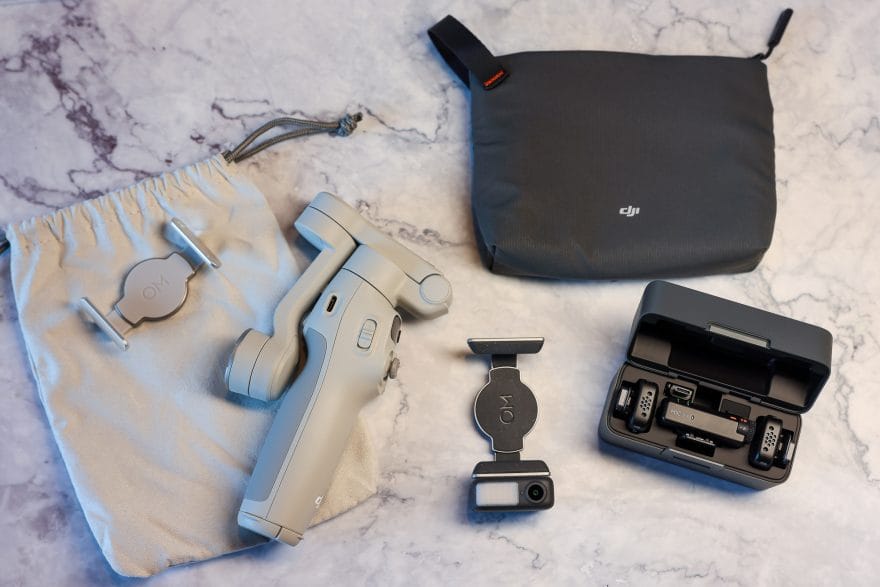
The Osmo Mobile 7 is simple but effective. The stabilizer has a clamp for your phone, that magnetically attaches to the arm of the device. Included with it is a small carrying bag.
Comparing the Osmo Mobile 7 and Mobile 7P, the stabilizers are very similar, but the latter does have a few upgrades. Both offer identical stabilization, but the 7P includes a telescoping handle that extends 215 mm or just under 8.5 inches.
As well, for focus or zoom control, the 7P has a control wheel on the side, while the Mobile 7 has a zoom slider only.
The Mobile 7 is a light grey, while the 7P is a dark grey. As well, the 7P is slightly heavier, at 368 grams, versus 300 grams for the Mobile 7.
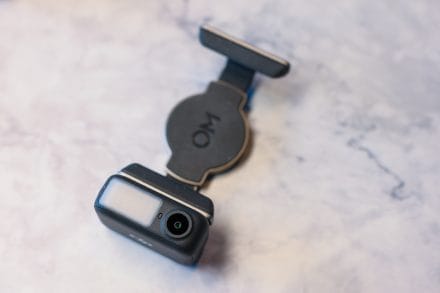
The biggest upgrade, however, are the added features. With the Mobile 7P you get the multifunctional module that attaches to the quick release mount, and allows you to track subjects with hand gestures.
While the DJI Mimo app offers subject tracking for either version of the stabilizer, the multifunctional module includes a small camera so you can track a subject even when you’re not using the app. That means that you can go live on Instagram or TikTok and the Mobile 7P can still track you or your subject. It’s the ultimate hands-free streaming partner.
The multifunctional module also includes a small fill light, and maybe best of all, pairs with the DJI Mic or DJI Mic Mini for professional audio. Considering how important great audio for any video, this might be my favourite feature, and I’ll get to my thoughts on the Mic Mini shortly.
The one drawback with the multifunctional module is that it has to be plugged into your phone. If you setup the cable properly, it won’t get in the way, but it does stick out a little.
Overall, unless you want a bare bones device and don’t care about the Mic Mini support, the fill light, or the tracking, I would recommend the 7P for most creators. The mic support alone is a great tool to make sure you’re actually capturing quality audio.
Osmo Mobile 7 design, controls, and features
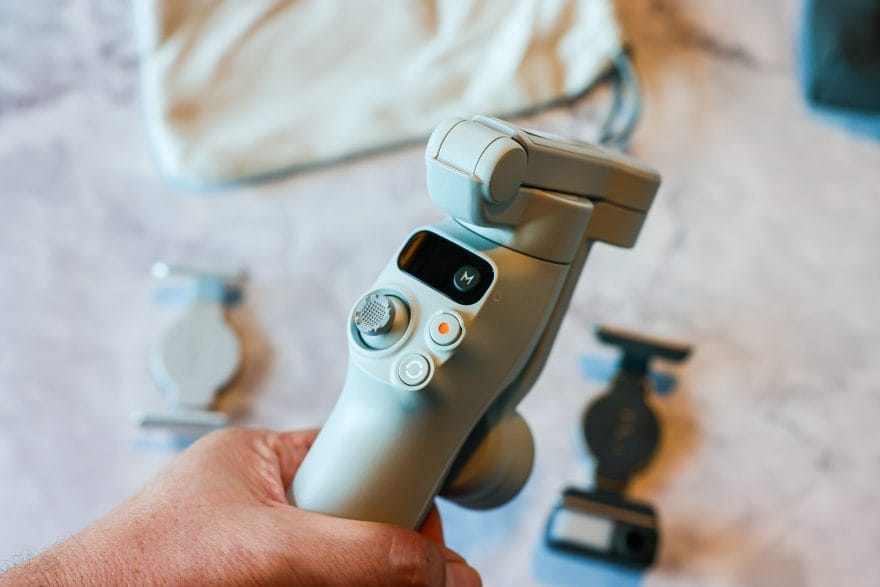
For my review, I received the Mobile 7, but with the multifunctional module add on, and the Mic Mini. Since everything is sold separately, you can just order the items that you most need, and I have to admit that the telescoping handle and side wheel were not that essential to me.
The overall design of the Mobile 7, and the 7P as well, is beautifully simple. The handle has a simple tripod that can extend out of the base, so you can set the stabilizer down anywhere and shoot, with a clean layout, and the stabilizer arm folds down against the handle, making it compact for storage.
The control stick and buttons are great quality, they’re sturdy, and the trigger at the back of the handle is smooth and responsive. The zoom slider on the left side of the handle is a little bothersome, since I found that it would jolt further than I intended, especially when I zoomed in. Going from 0.5x zoom to 1x often wouldn’t work, and I’d end up at 1.5x zoom. Depending on how much you want to zoom, you may want to consider the 7P for that reason, since the side wheel on the side will offer much better fine control.
Using the magnetic phone clamp was easy and fit perfectly on all the phones I tested it with. It’s also nice that the Mobile 7 magnetic phone clamp has soft pads that press against the front edge of the screen, so it has a better grip of the phone and won’t press against your power or volume buttons.
There’s a record button, so you can start and stop capturing quickly, a rotate button to switch from selfie to regular recording, and the mode button lets you change between the main stabilizer modes: pan and tilt follow (PTF), pan follow (PF), first-person view (FPV), and SpinShot.
I love all of the modes, and it gives you a lot of control to get the perfect shots. The device performed really well across all the modes, and it felt incredibly easy to jump between modes to try something new.
It’s worth noting though that mastering SpinShot will take some work and practice. The DJI Mimo app has basic instructions for using it, but I had to try it a few times to get a basic version of the shot. The gimbal allows for around 180 degrees of spin in this mode, so it’s also not a complete 360 degree spin. I’d also suggest that you want to use at least 60 fps for this mode, so you can do a little slow motion for the biggest impact.
Lastly, I would say that with larger phones, balancing the device is important, and you’ll need to get it just right to work well. Smaller phones will definitely stabilize easier, but I was able to get good results with both my OnePlus 13, and Google Pixel 9 Pro.
Stabilizer battery life
DJI suggests that the Mobile 7 offers 10 hours of battery life under basic operations. Looking at it practically though, and depending on the features you use, your range will be anywhere from 4 to 6 or 7 hours. Subject tracking, for instance, will use battery life, as will using the fill light, cutting the 10 hours of use in half.
From my tests, I averaged around 6-7 hours of usage, including some time tracking, some without, and even charging my phone briefly.
That is one of the other benefits, that you can also use the USB-C port on the stabilizer to charge other devices. That means that if you don’t need a full stabilizer charge, it can help you get through the day.
Charging the stabilizer to 100% takes up to 2.5 hours with a 10 watt USB charger, but you can get a decent charge in 60 to 70 minutes, and around 60% from less than 10%.
Tracking, footage, and recording quality
DJI’s new ActiveTrack 7.0 technology worked well in all of my tests. The system can have difficulty tracking some smaller objects, but it does very well with people and faces. Using the rear camera on my phone, with tracking on, I was impressed with the results that kept my face in frame, and stayed on target even when I was walking, running, and moving from side to side.
To start tracking with the multifunctional module attached, you or the subject just shows the palm of your hand to the camera module, and the light will change to green. Holding your palm up to the camera again will disable tracking. You can also make a “V” gesture with your fingers to take a photo, or start or stop video recording.
Tracking will even work if the camera loses sight of you for a few moments, but it resumes when it sees the subject again.
Apple users can also setup the DJI Mimo app on their Apple Watch to act as a smart remote for the gimbal.
Footage from the app looks excellent, and of course, that will depend on your phone, but I was very impressed with the crisp focus, and the way it handled lighting conditions. You can also shoot with your native phone camera app, but I have to admit that in most conditions, the DJI Mimo app felt like it gave me more options and control.
App settings offered up to 4K at 30 fps, and 60 fps was available through a DJI override, but DJI warns that there may be some problems using this mode. I didn’t see any problems with my recordings, but it’s worth noting and testing on your own device.
Pairing with the DJI Mic Mini
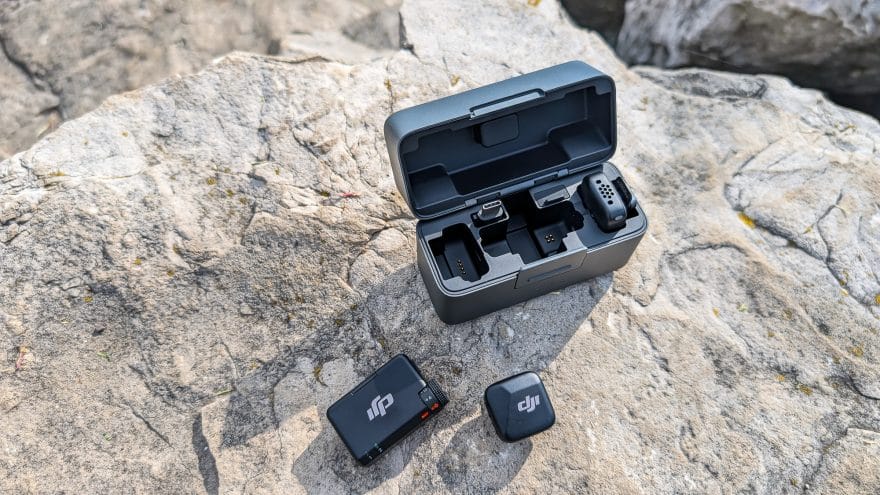
The DJI Mic Mini was one of my favourite things about using the Osmo Mobile 7. Great audio and great video go hand-in-hand, and for anyone who vlogs, or does interviews, or anything like that, the Mic Mini does a fantastic job.
Once the multifunctional module is attached to the phone, you hold the power button on it until the light blinks, and then press the link button on the Mic Mini. The mic indicator light on the module will turn green so you know it’s paired properly, and you can pair up to two mics.
I found the mics worked incredibly well, while capturing my voice front and centre, without many background sounds at all. It’s clean and clear, and you don’t need to have the mic that close to your mouth, either. I had it around the middle of my chest and it sounded good.
The mic transmitters come with windscreens, for windy environments, and a clip to attach to the edge of shirts, as well as a magnet that you can place under clothes to attach the mic as well. DJI suggests that the mics will last up to 10.5 hours on a single charge, and up to 48 hours of usage with the charging case.
Final thoughts
The DJI Osmo Pocket 7 is a standout stabilizer that does everything well. The radius of the gimbal is wider than most of the devices I’ve used in the past, and kept every shot steady and looking great.
Out of the box, the stabilizer is fairly easy to learn to use, the DJI Mimo app helps guide you when you start out, and a lot of things are familiar and intuitive.
For content creators of all kinds, it’s an ideal device that is very affordable, while still offering robust tools for everyday use. Professional audio with the DJI Mic Mini also takes everything up a notch, making it easy to shoot, edit, and publish in as few steps as possible.
If I had one complaint, it’s that I did have some trouble balancing heavier and bigger phones, with more space on the sides for those devices–especially considering the cable for the multifunctional module. Building the module into the arm of the stabilizer would make it a notch easier, but I also think the whole arm could be a tiny bit bigger and sturdier.
The final verdict? I’d recommend buying the Mobile 7 or 7P, depending on your needs–it’s a great phone stabilizer. The advanced tracking and mic pairing makes the 7P, or the 7 with the multifunctional module, effective and easy to use.
Photos by W. Andrew Powell/The GATE.
