

OnePlus is having more than a moment this year, developing one of the most interesting tech ecosystems today with the OnePlus 12, Pad 2, Watch 2 and 2R, and the OnePlus Buds Pro 3.
I’ve been using the Buds Pro 2 since they launched, across a range of Android phones, and they are dependable with great sound quality. The Buds Pro 3 took everything that I loved about the predecessors and improved on them, from the case and the battery life, to the sound, comfort, and style.
On top of excellent features and performance, the earbuds are well priced against their rivals, and they’re an incredible deal when they’re on sale.
Read on for my full review, breaking down my favourite features. The bottom line though? I’m a big fan of these earbuds, their sound, and quality.
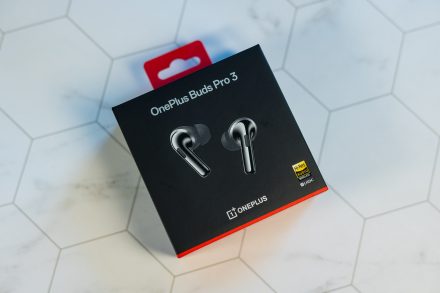
OnePlus Buds Pro 3 are available in Lunar Radiance and Midnight Opus for $179.99 (USD) and $269.99 (CAD).
Design, fit, and controls
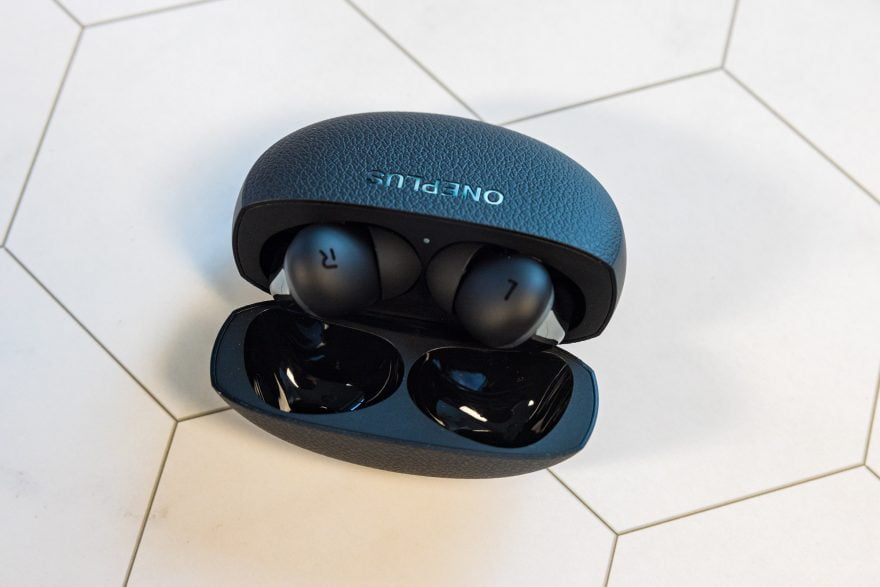
OnePlus upgraded the Buds Pro case design from a basic rectangular shape, that was functional but definitely not exciting, to an oval design that’s a lot more interesting.
The outside is textured on the front and back with a tactile, leather-like finish, and the edges have a pearly finish. It’s a nice upgrade, with an organic feel.
Opening the case, the earbuds fit inside snugly, and they come out facing the direction of your ear, unlike previous designs. An indicator light on the inside lets you know the status of the earbuds, and the charging port and charging indicator are on the bottom of the case.
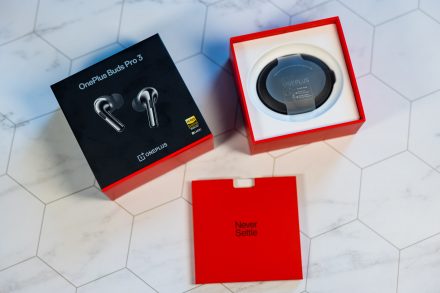
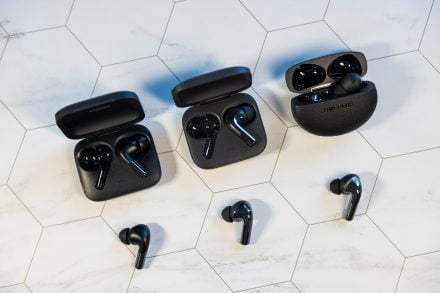
The earbuds themselves are very similar to previous designs, except that the silvery finish covers the whole exterior. The fit otherwise feels identical to previous earbuds, but the bump around the ear plug is slightly larger. That’s not noticeable when you’re wearing them though.
OnePlus provides four sets of additional earplugs you can use, in extra small, small, medium, and large sizes, so you can get the perfect fit.
Overall I really like the Buds Pro 3 design, the way they fit, and they’re light and very comfortable for longer listening sessions. I also really appreciate that OnePlus avoided alienating long-time users, and didn’t drastically change the earbud design. The new design feels more like a polish up.
Squeezing the earbuds once is play or pause, two squeezes is next, and three squeezes is previous, and you can adjust those controls. Sliding up and down on the buds controls volume, but there were times that this feature didn’t always work perfectly for me.
Sound and noise cancellation
OnePlus has impressed me with the quality of their earbuds since their originals, and even with their Nord series. The difference in quality though with the Buds Pro 3 is very noticeable.
The Buds Pro 3 were co-developed with Dynaudio, and the Buds Pro 3 settings offer an EQ style created by the company for the most balanced bass, mids, and treble. As someone who obsesses over sound settings, it was by far my favourite EQ style, but you can adjust everything to your liking, including BassWave boosting or minimizing, spatial audio, and noise cancellation.
Sound quality for the Buds Pro 3 is thanks in part to new dual drivers–an 11mm woofer and a 6mm tweeter–offering bigger bass, and sweeter high notes.
I sampled a few apps and sound sources on my OnePlus 12, and the depth is fantastic, from YouTube and Netflix, to Spotify, and websites. Some apps have their own EQ that can cause issues–Spotify in particular seems to push the bass further than I like on some tracks–but overall the sound quality is immersive and it made movies and TV shows sound spectacular.
Noise cancellation has three levels–low, moderate, and high, plus an auto mode–or you can turn it off, or try Transparency. Transparency is meant to allow you to hear voices and things around you, and it does work, but it’s not perfect. Auto mode is okay, and works well in some environments, but I found that I preferred to set to high in most cases.
With noise cancellation on, and playing music, the earbuds do a great job of covering up annoying sounds in the background, when you don’t need to focus on anything else.
Other features and controls
One other feature for the real audiophiles is Hi-Res mode, delivering higher quality audio when it’s available. That will depend on your individual apps and settings, but it’s worth a shot if you really care about sound quality and don’t mind using some battery life as a small trade off.
OnePlus also offers Golden Sound for the earbuds, letting you customize the audio profile for your ears. You’ll run a test that takes a few minutes and then adjusts sound for your hearing and ear canal shape. It’s subtle, but it does work.
Finally, I’m not a fan of Spatial Audio, but it is available if you want to immerse yourself in your audio. With Fixed Spatial Audio, the sound seems to come from one direction, while Head Tracking makes it seem like audio is coming from one direction. The clarity is nice, but I find the setting sounds a little tinny sometimes.
For calls or recording audio and video through the phone, the Buds Pro 3 work very well, thanks to three microphones, and a bone conduction microphone.
Battery life and charging
OnePlus promises up to 43 hours of battery life, when using the case to charge the earbuds, with between 5 and 10 hours of use available just from the earbuds alone, depending on the settings. Averaging things out, you will likely get about 6 hours of use from the earbuds, with about 25 hours of use, charging from the case.
Fast charging using a OnePlus power cable delivers up to 13 hours of music play in just about 10 minutes of charging. They can also be charged wirelessly.
I found charging and battery life excellent, and slightly better performance from the Buds Pro 2. On a flight or a trip, they’re the perfect pairing.
Final thoughts
OnePlus users will love these earbuds, expanding on the whole tech ecosystem that the brand has been building. If you have another OnePlus device, I love how the earbuds pair quickly with the Pad 2.
However the Buds Pro 3 are great for any device, whether you use iOS or Android. On OnePlus devices the features are all controlled from the built-in system features. Anyone using other Android or iOS devices can download the HeyMelody app to access all the same features.
For the price, features, and battery life, the OnePlus Buds Pro 3 are very good. They’re also comfortable, and the perfect upgrade if you’re due for new earbuds.
